AI tools can now transform your images with a single prompt. But just because you can fix it in post with a sentence, should you? Does the 'magic' replace the art of photo editing?"
A simple prompt to transform your image effortlessly!
Before & After
Before |
After Canon R6 Mark II Original at f/5.6 for 1/80 sec at 63 mm ISO 8000 vs Gemini Nano Banana Pro Enhanced
✅ Pros
✅Simply write what you want in the prompt, and magic happens
✅“Good enough” is now ridiculously easy
✅Editing time drops from hours to minutes
⛔ Cons
⛔Surrenders creativity to the algorithm
⛔Output size is frustratingly a different size than the original input
⛔Shifts the satisfaction from creating the image to requesting it
Let's Hear Your Thoughts!
Sound off: At what point does 'editing' stop and 'generating' begin? If the AI does the heavy lifting, are you still the photographer, or just the prompter?"
Are you quietly letting AI replace your editing hours? Or is hands-on Photoshop (or Lightroom Classic) still the soul of your photography? Drop your take below."
Phenomenal autofocus, outstanding in-camera JPEGs at high ISOs, and great support for legacy EF lenses and flashes makes this a nice upgrade for those sitting on the fence.
⛔In 2026, it trails newer bodies (e.g., Nikon Z6 III, Sony a7 V, Canon R6 Mark III) in buffer depth, rolling shutter, and burst rates for fast action
⛔Even at street prices around $1,999 body-only new (or $1,800 used/refurb), it's pricey compared to aggressive competition in a shrinking market
⛔DPP 4 is painfully slow for raw processing, despite being optimized for Canon files
⛔Limited 4K 60p recording time due to potential overheating in extended clips (common for the model; external fan helps if video is priority)
⚖️RAW shadow recovery / dynamic range isn’t class-leading if you push files hard (vs. some Sony a7 and Nikon Z bodies)
TL;DR ⚡
For dedicated Canon shooters, the R6 Mark II delivers outstanding high ISO performance. Combined with IBIS and lens stabilization, it enables slower shutter speeds for still subjects, reducing ISO for cleaner images. See my full review for more info on how it compares to the new Mark III.
R6 Mark II: Pro-level performance and stabilization—without the Mark III price tag.
The 24-105 minimum focus distance was quite usable.
f/5 for 1/100 sec at 70 mm ISO 320 [0 EV, Pattern metering, No flash, Aperture priority with RF24-105mm F4 L IS USM]
However, I found myself wishing this was a f/2.8 lens quite often to get more bokeh in the background. Click the photo to open the original size 👆
Manual focus peaking was needed to get sharp focus for this shot, but it worked great.
f/4.5 for 1/320 sec at 98 mm ISO 640 [0 EV, Pattern metering, No flash, Shutter priority with RF24-105mm F4 L IS USM]
The wind really gave the autofocus its only fits during my testing, so the focus peaking made it easy to see when the wind was calm enough to take the shot. Click the photo to open the original size 👆
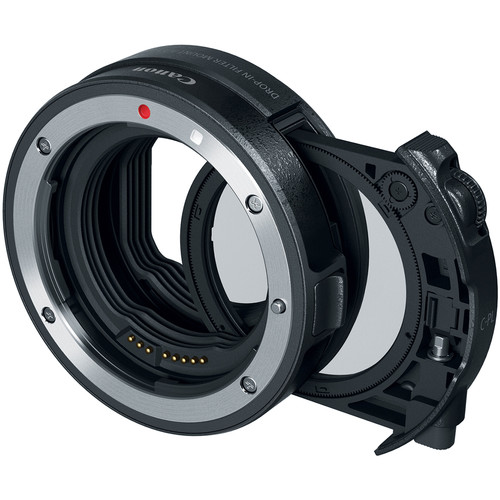
The Canon Drop-In Filter Mount Adapter EF-EOS R with Circular Polarizer Filter worked great with my legacy Canon EF70-200mm f/2.8L IS II USM lens.
f/7.1 for 1/125 sec at 120 mm ISO 8000 [0 EV, Pattern metering, No flash, Aperture priority with EF70-200mm f/2.8L IS II USM]
I rotated the circular polarizer to eliminate the reflections on the leaves and stump to make a more vibrant image. I quickly became a fan of having filters on the camera side of the lens instead of on the end of the lens. Click the photo to open the original size 👆
The in-camera JPEG processing of ISO 20,000 is awesome
f/13 for 1/160 sec at 130 mm ISO 20000 [-0.33 EV, Pattern metering, No flash, Aperture priority with EF70-200mm f/2.8L IS II USM]
I quickly fell in love with the fact that I don't need to worry about hitting high ISOs with this camera. The noise reduction is impressive while still maintaining plenty of details as shown in this low-light shot. Click the photo to open the original size 👆
My very old EF100mm f/2.8 Macro USM lens worked great with the Canon Drop-In Filter Mount Adapter EF-EOS R with Circular Polarizer Filter
f/13 for 1/125 sec at 100 mm ISO 6400 [0 EV, Pattern metering, No flash, Aperture priority with EF100mm f/2.8 Macro USM]
I had no issues with both auto and manual focus with this super sharp but very outdated lens Click the photo to open the original size 👆
I was happy to see my legacy Canon EF11-24mm f/4L USM, one of my most expensive lenses, worked great with the R6 Mark II's autofocus system!
f/20 for 2.5 sec at 24 mm ISO 100 [-1 EV, Pattern metering, No flash, Manual with EF11-24mm f/4L USM]
The circular polarizer came in handy on this long exposure shot as did the articulating LCD which kept me from having to get into funny positions. I just rotated the LCD so I could see it easily no matter what position my camera was in! Click the photo to open the original size 👆
Another long-exposure shot that highlights the sharpness of this lens even at f/14
f/14 for 1/2 sec at 63 mm ISO 100 [-1 EV, Pattern metering, No flash, Manual with RF24-105mm F4 L IS USM]
I currently own a legacy 24-70 and two variants of the 24-105 lens, but this new RF made me want to get rid of all of them as it performed very well with super crisp images worthy of the L designation. Click the photo to open the original size 👆
Cigar lounges are a visual treat in person, but they give cameras fits
f/4.5 for 1/60 sec at 50 mm ISO 12800 [0 EV, Pattern metering, No flash, Aperture priority with RF24-105mm F4 L IS USM]
I was pleased that the autofocus never had any problems and didn't hunt for something to lock onto. The in-camera JPG was great and the off colors accurately reflect what I saw in person as well, so it nailed the color even with the AWB setting. Click the photo to open the original size 👆
In-camera color accuracy was fantastic
f/9 for 1/80 sec at 32 mm ISO 12800 [0 EV, Pattern metering, No flash, Aperture priority with RF24-105mm F4 L IS USM]
I might be sounding like a broken record, but Canon's strength has always been its in-camera color quality and this was no different. It's an exact replica of what my eyes were seeing at the time. Click the photo to open the original size 👆
Even at ISO 8000, the textures of the cigars were excellent.
f/6.3 for 1/80 sec at 70 mm ISO 8000 [0 EV, Pattern metering, No flash, Aperture priority with RF24-105mm F4 L IS USM]
I've been so happy with my iPhone over the past few years that I'm not breaking out the big camera anymore, but the resolution and crispness especially at high ISO with this camera has me rethinking that decision. Click the photo to open the original size 👆
This was my token f/22 shot that is more about having a lot of things to look at than it is photography. Overall, the wind hurt this shot quite a bit but I also believe diffraction was the bigger enemy here. There's no substitute for more megapixels for stuff like this as I've shown in my 50 and 100 megapixel Fujifilm reviews.
f/22 for 8 sec at 24 mm ISO 100 [0 EV, Pattern metering, No flash, Aperture priority with EF11-24mm f/4L USM]
For this shot I was using my legacy EF11-24mm lens and the light conditions were constantly changing, but in the Northwest this was about as much sun as I could get so I was happy to capture it! Click the photo to open the original size 👆
f/16 looks great as long as you don't pixel peep at unrealistic zoom levels
f/16 for 1.6 sec at 24 mm ISO 100 [0 EV, Pattern metering, No flash, Aperture priority with EF11-24mm f/4L USM]
I focused on the sign and again was using my sharpest lens in my bag for this shot Click the photo to open the original size 👆
I used the right eye autofocus and despite my daughter's hair partially obscuring it, and it did great.
f/5.6 for 1/100 sec at 95 mm ISO 5000 [0 EV, Spot metering, No flash, Aperture priority with RF24-105mm F4 L IS USM]
For those new to this feature, the right and left eye refer to the subject's right and left eye - not photographers right or left. This is something that you need to think about when using that feature as it's easy to get it confused. That said, auto eye priority works great most of the time too. Click the photo to open the original size 👆
This was a hard shot to capture and the result is nothing to write home about, but what impressed me was that the autofocus never hunted around trying to lock onto the inscription - despite the fact that I struggled to see it!
f/6.3 for 1/60 sec at 53 mm ISO 6400 [+2 EV, Pattern metering, Flash fired, Aperture priority with RF24-105mm F4 L IS USM]
Autofocus in difficult conditions that used to trip up the best of cameras is no longer a thing, so I never dealt with focus hunting even when using my older lenses. What's more, I almost never needed manual autofocus, and when I did it was for creative reasons. Click the photo to open the original size 👆
Another tricky one just above
f/6.3 for 1/60 sec at 81 mm ISO 6400 [+2 EV, Pattern metering, Flash fired, Aperture priority with RF24-105mm F4 L IS USM]
In both cases, the autofocus just worked like it was any other subject - which was great! Click the photo to open the original size 👆
I had the wrong white balance settings for this shot, but I was pleased with the exposure of the blackberries at 0 EV against the bright pineapple in Canon's Evaluate metering (aka pattern) mode.
f/5.6 for 1/60 sec at 43 mm ISO 4000 [0 EV, Pattern metering, No flash, Aperture priority with RF24-105mm F4 L IS USM]
A better white balance and partial metering would have been a better choice, but the CR3 raw file leaves plenty to work with after the fact. Click the photo to open the original size 👆
It's the winter in the Northwest, so there's little light to speak of. As a result, I was pleased to see how much detail was still left in the top of this hat even at ISO 8000.
f/5.6 for 1/80 sec at 63 mm ISO 8000 [0 EV, Pattern metering, No flash, Aperture priority with RF24-105mm F4 L IS USM]
Yet another example of why I loved the 24-105mm so much - super sharp images and great image stabilization for handheld shots. Click the photo to open the original size 👆
ISO 8000 was so good on that last shot, I decided to push things and give ISO 10,000 a shot
f/4 for 1/125 sec at 105 mm ISO 10000 [0 EV, Pattern metering, No flash, Aperture priority with RF24-105mm F4 L IS USM]
Once again, the in-camera JPEG didn't disappoint. However, I can still leverage the raw and Imagenomic Noiseware to get it even more sharp if I wanted to edit this image. Click the photo to open the original size 👆
Photographs on your typical ice rink are always terrible due to the poor lighting conditions and distractions in the background, but I was super impressed with the eye autofocus and AI Servo performance with my legacy 70-200mm during this torture test.
f/4 for 1/320 sec at 102 mm ISO 5000 [0 EV, Pattern metering, No flash, Manual with EF70-200mm f/2.8L IS II USM]
Lots of distractions in the foreground and background kept showing up, but the AF almost never missed a shot and stayed in sharp focus of my daughter's eyes even when I struggled to see where she was. Click the photo to open the original size 👆
I've got countless distractions shots like this where the AF did a great job tracking my intended subject and never getting tripped up.
f/2.8 for 1/320 sec at 135 mm ISO 2000 [0 EV, Pattern metering, No flash, Manual with EF70-200mm f/2.8L IS II USM]
I was extremely pleased with the performance, even though people were ruining any chances of a getting a good photograph! Click the photo to open the original size 👆
Another distraction example and there's more in the review gallery, but the AF never lost sight of my intended subject.
f/2.8 for 1/320 sec at 200 mm ISO 8000 [0 EV, Pattern metering, No flash, Manual with EF70-200mm f/2.8L IS II USM]
I can say with confidence that the R6 outperforms my Canon 1DX Mark II in terms of AF performance in every way. Click the photo to open the original size 👆
This is a horrible photo, but what's impressive is that the eye autofocus actually stayed on the eye of the moving and partially obscured subject
f/4 for 1/400 sec at 91 mm ISO 1600 [0 EV, Pattern metering, No flash, Manual with RF24-105mm F4 L IS USM]
I threw a lot at this AF system and it passed with flying colors. Click the photo to open the original size 👆
Yes, its true, auto eye AF even works on closed eyes!
f/4 for 1/640 sec at 105 mm ISO 4000 [0 EV, Pattern metering, No flash, Manual with RF24-105mm F4 L IS USM]
In the past you'd have a sharp focus of a basketball and blurry subject, but not with the R6 Mark II. Click the photo to open the original size 👆
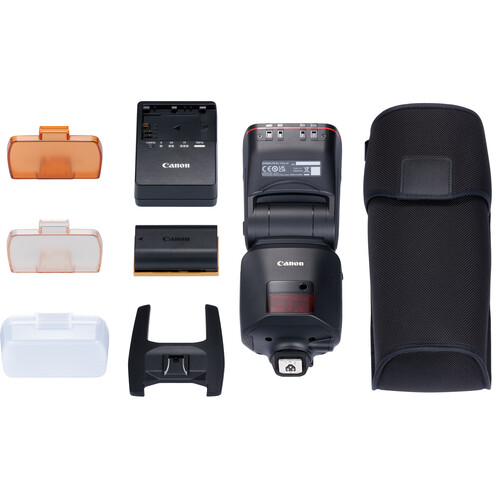
I didn't get enough time with the amazing Canon EL (Version 2) Flash, but this was all that flash with no third party modifiers.
f/5.6 for 1/60 sec at 72 mm ISO 3200 [0 EV, Pattern metering, Flash fired, Aperture priority with RF24-105mm F4 L IS USM]
It's heavy, and its expensive, but the battery makes it a always ready when you need it super performing flash. If I was shooting event photography, I'd definitely buy this flash. Click the photo to open the original size 👆
After taking a photo with my iPhone, I decided to see if I could improve upon it by getting a shot that the iPhone would never get - a sharp focus on the brush as paint is applied.
f/4 for 1/60 sec at 96 mm ISO 160 [-0.67 EV, Pattern metering, No flash, Manual with RF24-105mm F4 L IS USM]
Spot autofocus saved the day and I got the shot that I was hoping to get. Click the photo to open the original size 👆
Unhappy with the darkness of the last shot, I tried again and once again spot AF had no problems getting my desired result.
f/4 for 1/100 sec at 105 mm ISO 320 [0 EV, Pattern metering, No flash, Manual with RF24-105mm F4 L IS USM]
In retrospect I wish I would have tried this shot at f/9 to get both the brush and hand in better focus together, but that's all on me not the camera. Click the photo to open the original size 👆
Notice how in-camera HEIF (.HIF) files render in Lightroom versus the CR3 thumbnail/default rendering.
In-camera generated HEIF files don't look good in Lightroom Classic (in my testing)
I’m not sure if this is a Lightroom issue or a camera firmware issue from not being on the latest version. Leave a comment if you have more details on this issue. Click the photo to open the original size 👆
In mixed stills shooting (with occasional bursts and LCD use), I got about 2000 images (about 1000 shots) per LP-E6NH charge—solid for a mirrorless body. Grip is comfortable for long sessions, weather-sealing held up in light rain/Northwest drizzle, and the EVF is bright and clear. IBIS makes handheld low-light easy.
Still Worth It in 2026?
Launched in 2022, the R6 Mark II now often sells new for ~$1,999 body-only (or less refurbished/used around $1,800). It’s a fantastic value for EF lens owners avoiding a full system switch. If you want the absolute latest (better buffer, sensor readout, video endurance), the R6 Mark III is the step-up—but this one still punches way above its age for sports, events, and family action.
Difference between the Mark II and Mark III (AI Generated)
Image Quality & Resolution
The most notable difference is the sensor. The Mark III offers a 32.5MP sensor compared to the Mark II's 24.2MP, providing greater flexibility for cropping and larger prints. This extra resolution, however, can result in slightly more noise in high ISO scenarios compared to the Mark II's clean low-light performance.
Video Enhancements
The Mark III is a significant upgrade for videographers. It introduces internal 7K RAW recording and Open Gate recording, which uses the entire sensor area for flexible aspect ratio cropping in post-production (e.g., for social media vertical video). It also adds a full-size HDMI port, Canon Log 2, and professional tools like waveform monitoring. The Mark II is a capable everyday video camera with crop-free 4K 60p, but lacks these advanced features.
Speed & Buffer
Both cameras shoot at an impressive 40fps with the electronic shutter. The Mark III pulls ahead with its CFexpress card slot (alongside an SD slot), which allows for a much larger buffer capacity (around 150 RAW shots vs. 75 on the Mark II) for extended burst shooting. It also has a more robust implementation of the Pre-continuous shooting feature.
Autofocus & Stabilization
Both use Canon's effective Dual Pixel CMOS AF II system. The Mark III benefits from an enhanced AF algorithm and the "Register People Priority" feature, which allows you to prioritize focus on specific registered faces. It also offers a slight bump in in-body image stabilization, up to 8.5 stops.
Recommended Products
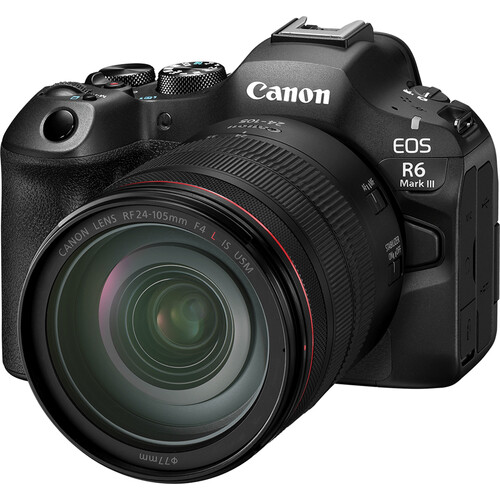
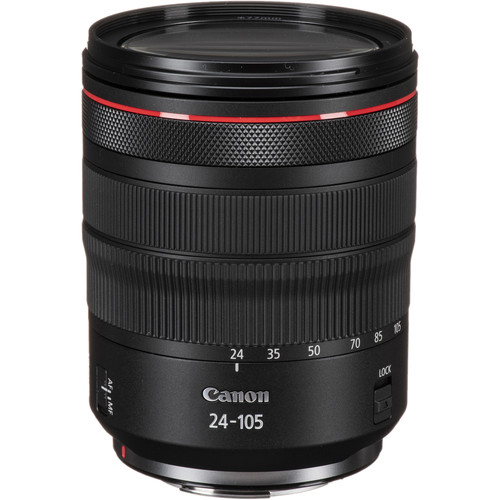
Canon Speedlite EL-1 (Version 2)Canon Drop-In Filter Mount Adapter EF-EOS R with Circular Polarizer FilterCanon EOS R6 Mark IIICanon RF 24-105mm IS USM Lens
Closing Thoughts
I’ll admit I was late to the game reviewing this one—it originally launched in 2022—but it’s still a very relevant camera today, especially if you’re coming from older Canon DSLRs with EF glass and have been waiting for the right moment to upgrade. If you’ve already moved to the R series, the gains here are more incremental and may not justify the cost.
That said, if you value Canon’s ergonomics and its consistently excellent in-camera JPEGs, this camera earns its keep. Autofocus stayed locked on even in ugly, low-contrast situations, and high-ISO performance was strong enough that I rarely felt forced into shooting RAW. When I did, RAW + Imagenomic Noiseware produced results that easily meet 2026-level expectations.
If you still find yourself wanting more—faster everything, more headroom, and the newest refinements—then stepping up to the Canon R6 Mark III makes sense. Either way, the Canon RF 24–105mm f/4L IS USM remains a rock-solid everyday pairing that fits this body perfectly.
I’m writing this with a heavy heart. My friend and mentor, Gary Parker, passed away on
Monday, January 5, 2026. Gary was the first major photographer to take me under his wing and help me go from a guy with a camera to an internationally known photographer with hundreds of thousands of followers during the peak of my blogging days.
In Memoriam
Gary Parker (1950-2026)
A master of light and color — fast, funny, and unforgettable.
Gary & Kimberley Parker with their dog Prudence near their home in Oregon. (Photo: Ron Martinsen)
Gary wasn’t the kind of photographer who took forever to “get the shot.” He was the opposite:
fast, impulsive in the best way, and incredibly effective. He had an instinct for finding
a great frame right now — amazing color, interesting backgrounds, and that moment that makes people stop and look.
Executives loved working with him because he could walk in, connect, create energy, and deliver.
Great photographers don’t just chase perfect lighting — they know how to create it, shape it,
and capture it quickly. Gary did that with humor, efficiency, and outrageous control of light and color.
And when the subject was difficult? That’s where Gary was at his best. He had a real flare for
pulling emotion out of people — even the ones who didn’t want to give you anything.
He could get someone from guarded to genuine in minutes.
A couple moments that changed photography for me forever
What struck me most was Gary’s insane awareness of background, light,
and surroundings. His ability to get a unique shot often involved him shooting from angles
where it was impossible to even look through the viewfinder. He trashed every idea I had about the technical side
of photography — and somehow still got the crisp, perfect shot.
Ron Martinsen and Gary Parker during our workshop. Photo by workshop student Mike Wiebe.
Gary smiling while teaching me one of his lighting tricks. (Photo: Ron Martinsen)
I’ll also never forget the time Gary flew up from California to visit me at my house. When the door rang,
my wife, son, and I ran to open it — and I didn’t even see Gary right away because he was already down low,
camera up, catching the coolest photo of us answering the door.
Ron, Moon, and Kai at my house during Gary’s visit. (Photo: Gary Parker, edited by Ron Martinsen)
The next ten minutes were the same kind of magic: Gary catching fun photos at angles I never would have imagined.
I was watching a photography master do his craft with joy and creativity — and it changed how I photographed forever.
Gary with Kai during an impromptu lighting lesson he gave me at my house. (Photo: Ron Martinsen)
“The Professor” — a portfolio shot from that same lesson. (Photo: Ron Martinsen)
A photo I produced and had my wife take in the spirit of Gary’s style — Gary liked it so much he ended up editing it.
Taylor in Oregon — a random snap where he squatted on the trail so I could build a more interesting background (thanks to Gary’s advice).
This was the shot that reinforced: look harder at the background than the subject. (Photo: Ron Martinsen)
During our workshop, Gary taught me you can get a stable long exposure with a mini tripod braced against your chest.
I discuss the technique here:
Drastically Improve Your Handheld Shots
.
It changed my photography forever. (Photo: Ron Martinsen)
Gary’s guest posts on my blog
Gary didn’t just influence my photography — he contributed directly to this blog:
1990 Pulitzer Prize Co-Winner (General News Reporting) — for his role on the staff of the San Jose (CA) Mercury News covering the October 17, 1989 Bay Area earthquake and its aftermath.
National Newspaper Photographer of the Year (twice), Southern Photographer of the Year, and a national lecturer on lighting, creativity and other topics.
Photographed innovators and leaders including Steve Jobs, Jensen Huang, Larry Ellison, Bill Gates, Tim Cook, and many more.
Original Creator / Associate Producer of the “Big Tiny” TV series featuring Bridgette & Brad Jordan, the World’s Smallest Lady and World’s Smallest Siblings.
If you own a pet, some of Gary’s work has likely come into your home on pet food packages. You might have even purchased Hallmark greeting cards with his photos on them.
Named an Honorary Lifetime Member of Little People of America; he once had the largest collection of photos of his friends with dwarfism, including some of the world’s smallest people.
Gary taught me a lot about photography — but some of the most valuable lessons were on the business and marketing side:
how to position your work, how to talk about it, how to price it, and how to build credibility without acting needy.
I’ll always appreciate all the time he spent teaching me and the laughter we enjoyed during our endless conversations and emails.
It's impressive what Adobe is doing with Photoshop via ChatGPT. It allows for advanced tasks with adjustments that are layered and can be saved as a PSD file for you to edit later. It's more powerful than you think, so check out this video to learn how to set it up and use it.